

How to Get Started
Follow the three key steps to open, fund your account, and begin investing with Provident Trust Group.
OPEN AN ACCOUNT
Get started by completing a quick digital application. You’ll receive an email confirmation once your account is open.
FUND YOUR ACCOUNT
Once your account is open, you can add funds by transferring funds or completing a rollover contribution.
INVEST
When your account is funded, you’re ready to direct Provident Trust Group to make your investment.

Client portal
Our secure online portal streamlines account management, giving you a simple, efficient way to manage your account anytime, anywhere.
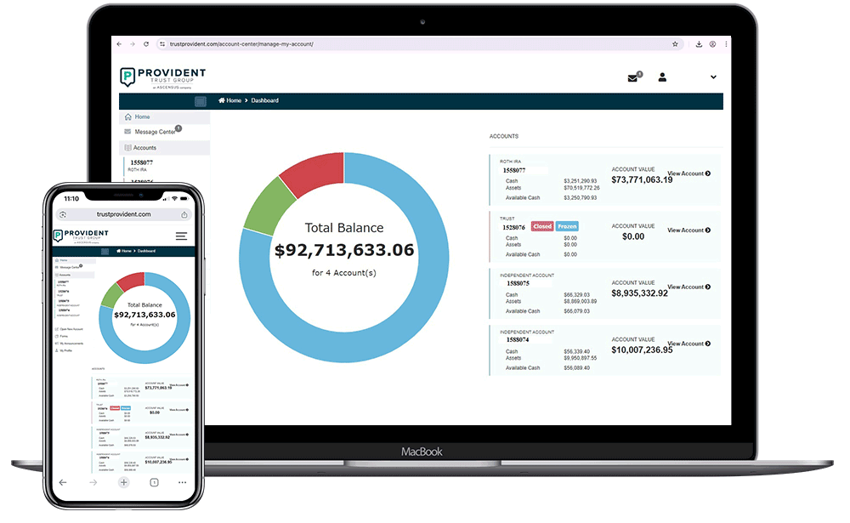
Key Features
- Digital forms: Reduce errors and increase processing speed
- Real-time data: Monitor your account performance whenever you need and direct your investmwents online
- Protected access: Keep you account data secure with a variety of security features including Multi-Factor Authentication
- Auto-pay enrollment: Never worry about late fees
- Secure message center: Send messages and documents directly and securely
- eDelivery: View your fee invoices, quarterly and annual statements, and tax documents in a single place
What to expect and when

Frequently asked questions
If you already have a portal account, here you can find helpful information to help you navigate your portal and complete the most common portal actions.
To change your password, log in to your portal and navigate to Your Name (upper right-hand corner) > My Profile > Change Password (link from the left-hand menu).
Please note that our team cannot reset your password for you.
To reset your password, click the ‘Forgot Password’ link on the portal login page and a new password will be sent to the email that you used to register for the portal.
Please note that our team cannot reset your password for you.
Log in to your portal and navigate to My Profile > Manage Contact Information. Choose whether to Edit or Delete the existing information.
You will receive an email confirmation once this is complete.
Log in to your portal and navigate to Accounts > Beneficiaries > Update Beneficiaries (blue button). Enter your revised beneficiary information.
You will receive an email confirmation once this is complete.
In 2017, we began phasing out our old portal and replacing it with a new one, designed to give you better access to the information you need and to provide you with new functionality.
You can register for the new portal here. If you prefer to access your account via the old portal, you can do it here.
While all browsers are secure, we recommend using Google Chrome for the best portal experience.